All regular Windows users must have experienced the BSoD at some time or the other, while working on their systems. It is the infamous Windows Stop Error, caused by some fatal error in windows operating system. Unlike an application crash, the blue screen makes the whole system dysfunctional. Although this fault is much lower in the higher version systems, the error occurs whenever Windows senses any hardware, software or driver error which does not allow it to functional normally.
In most instances, the problem resolves itself with just a reboot. However, this issue generally causes more technical snags which if not resolved quickly, may harm your data.

What is BSoD?
The term was coined during the testing of OS/2 for pre-release activities. Whenever the developers tried to send API calls or put in dereference null pointers in applications, the system stopped and displayed the blue screen. This led to the formulation of the term. The Windows Stop Message occurs whenever the operating system detects an error from which it cannot revert back. This causes the operating system to halt and display diagnostic issues on a blue screen. In higher versions, the contents of the memory are dumped into a mini-dump file which can be analysed later.
Understanding the blue screen
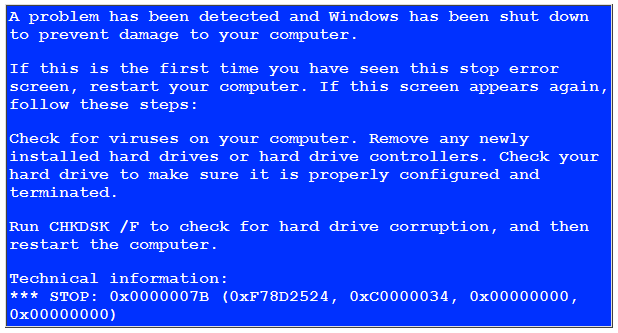
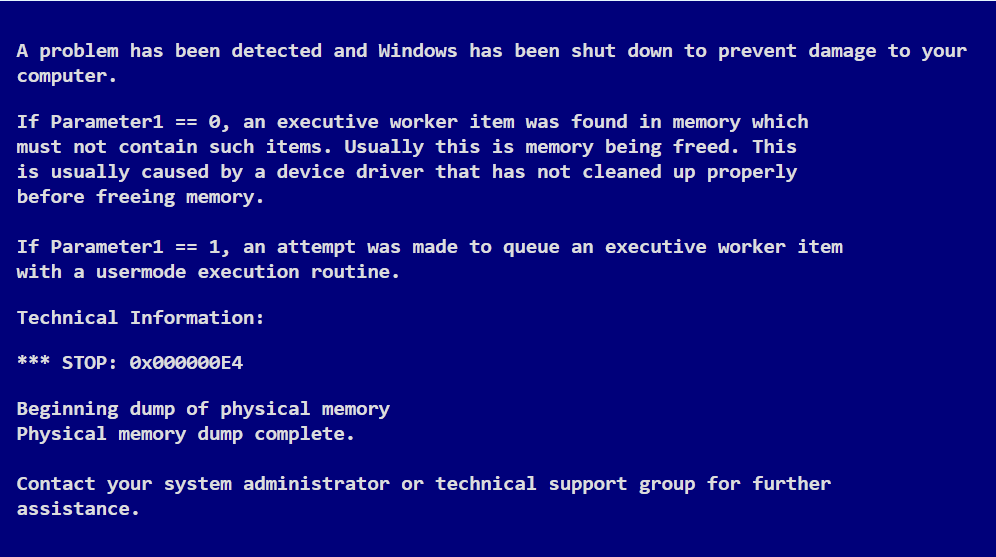
A typical blue screen is divided into four parts and can be analysed to understand what led to the appearance of the blue screen.
1. The first part is the bug check information which shows the instance of the stop error in hexadecimal format. It also shows why the system has stopped and displays the name of the error.
2. The second section or the user action system is quite generic and it contains advice on the plausible troubleshooting steps.
3. The third section contains the driver information. It contains critical information about drivers. If any driver is misbehaving and causing the blue screen, then it will be listed in this column. In case of recurring errors, this can allow the user to take necessary actions.
4. The last but not the least part of the error screen are the status information and debug port sections.
In higher versions of Windows, the system creates a mini-dump file. This stores the PC’s memory into a file and saves it on the disk. This can be used by the user to analyse more on blue screen of death.
 blue screen